Key Features
ABC User Feedback provides various features to effectively collect, manage, and analyze user feedback. This document describes the core features in detail.
Feedback Tagging System
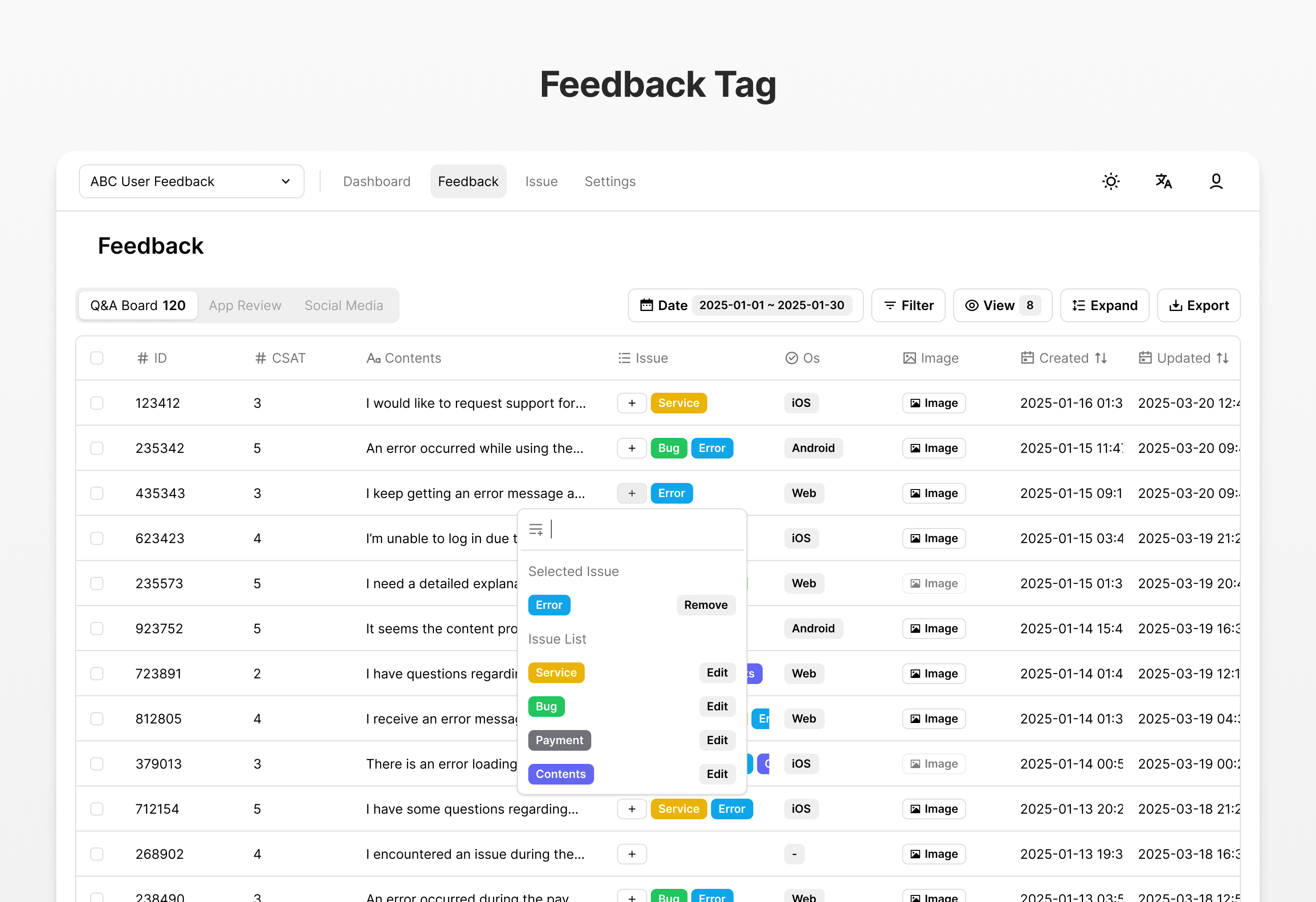
The feedback tagging system is a core feature for systematically classifying and managing large amounts of user feedback.
Key Features
- Multiple Issue Assignment: Assign multiple issues to each feedback for multidimensional classification
- Custom Issue Creation: Create and manage customized issues tailored to project characteristics
- Issue-Based Filtering: Filter feedback by issue to focus on specific topics
- Issue Statistics: Derive insights through analysis of issue usage frequency and trends
How to Use
- Create issue categories and issues in the admin panel
- Assign relevant issues to received feedback
- Filter and analyze feedback by issue
- Identify key issues and trends through issue usage patterns
Kanban Mode
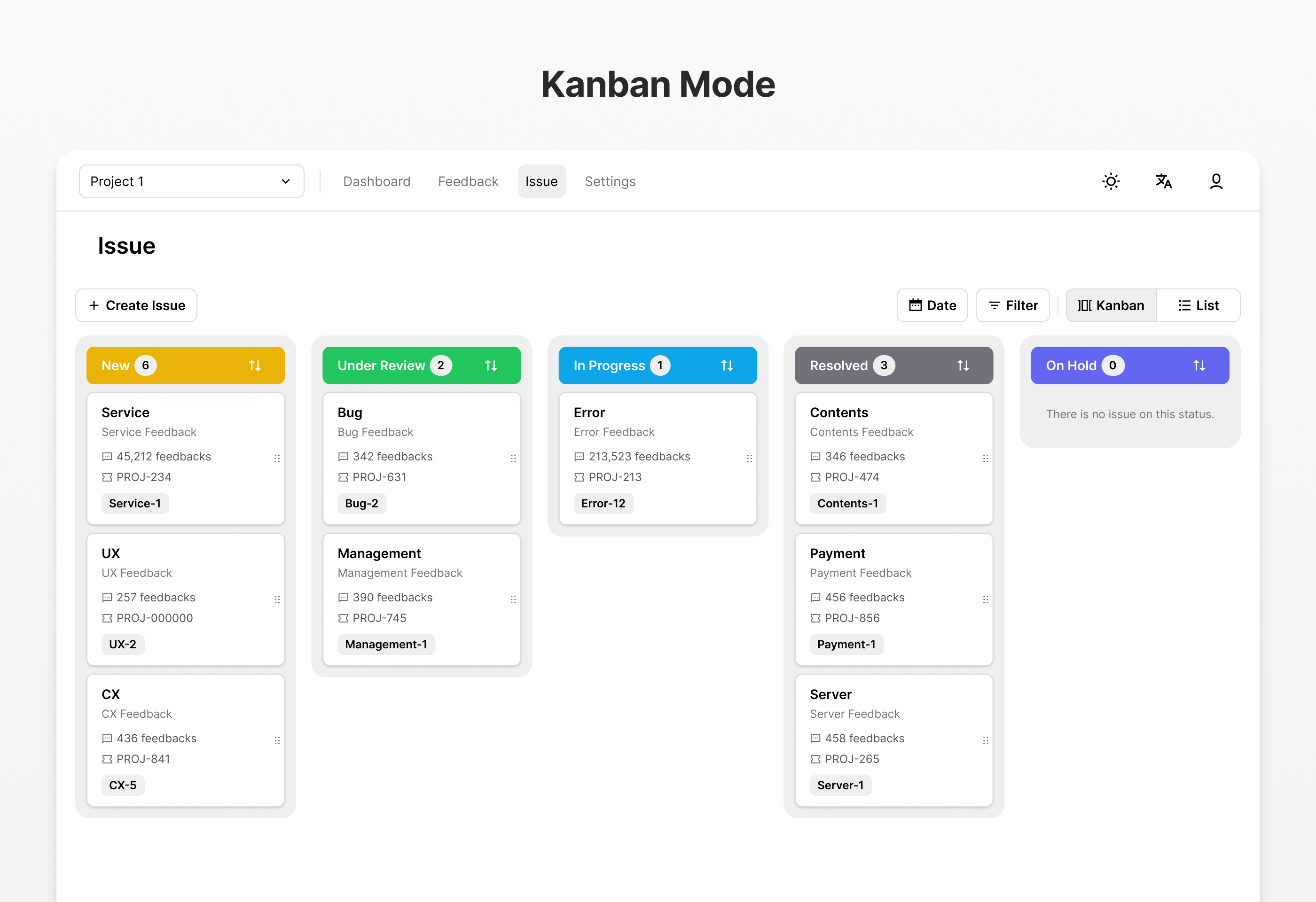
Kanban mode is a feature for visually managing issue groups and optimizing workflows.
Key Features
- Intuitive Drag and Drop: Simple interface for changing issue status
- Status-Based Column Configuration: Column separation based on issue progress status (e.g., To Do, In Progress, Done)
- Workflow Visualization: Understand team work processes and progress at a glance
- Workload Management: Monitor workload through the number of issues in each status
- Filter and Sort: Filter and sort issues in the kanban board by various criteria
How to Use
- Select kanban mode view
- Check and manage issues by status
- Change issue status with drag and drop
- Optimize team workflows and identify bottlenecks
Issue Tracker Integration
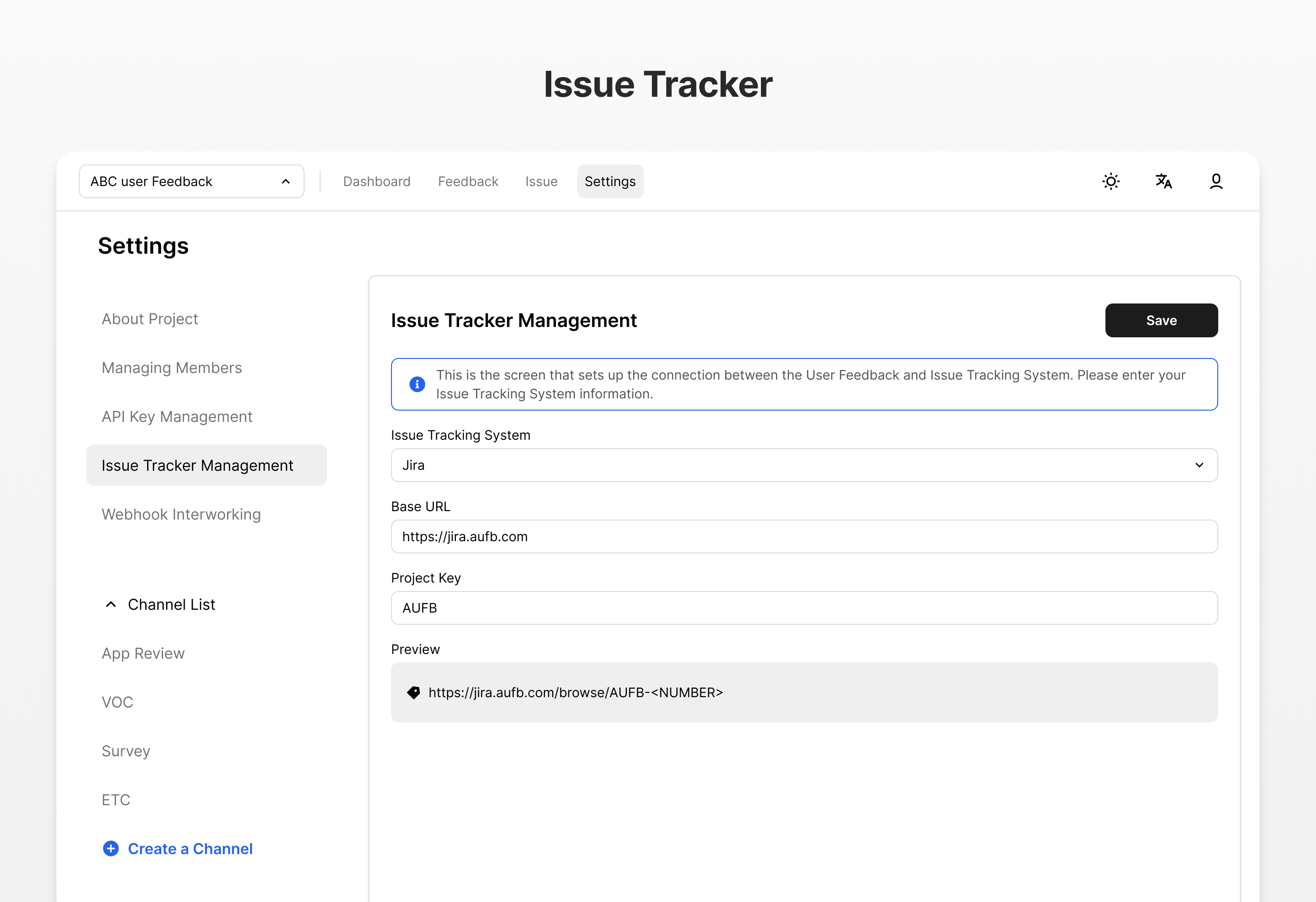
Issue tracker integration is a feature for systematically managing problems or improvements found in feedback.
Key Features
- Status Indicators: Visually display the current status of issues (New, In Progress, Resolved, etc.)
- External System Integration: Connect with issue tracker systems (JIRA)
How to Use
- Create issues from feedback or in the issue menu
- Configure external issue tracker connection (optional)
- Set issue details and issue tracking ticket
- Monitor and update issue progress
- Close issue after resolution
Single Sign-On (SSO)
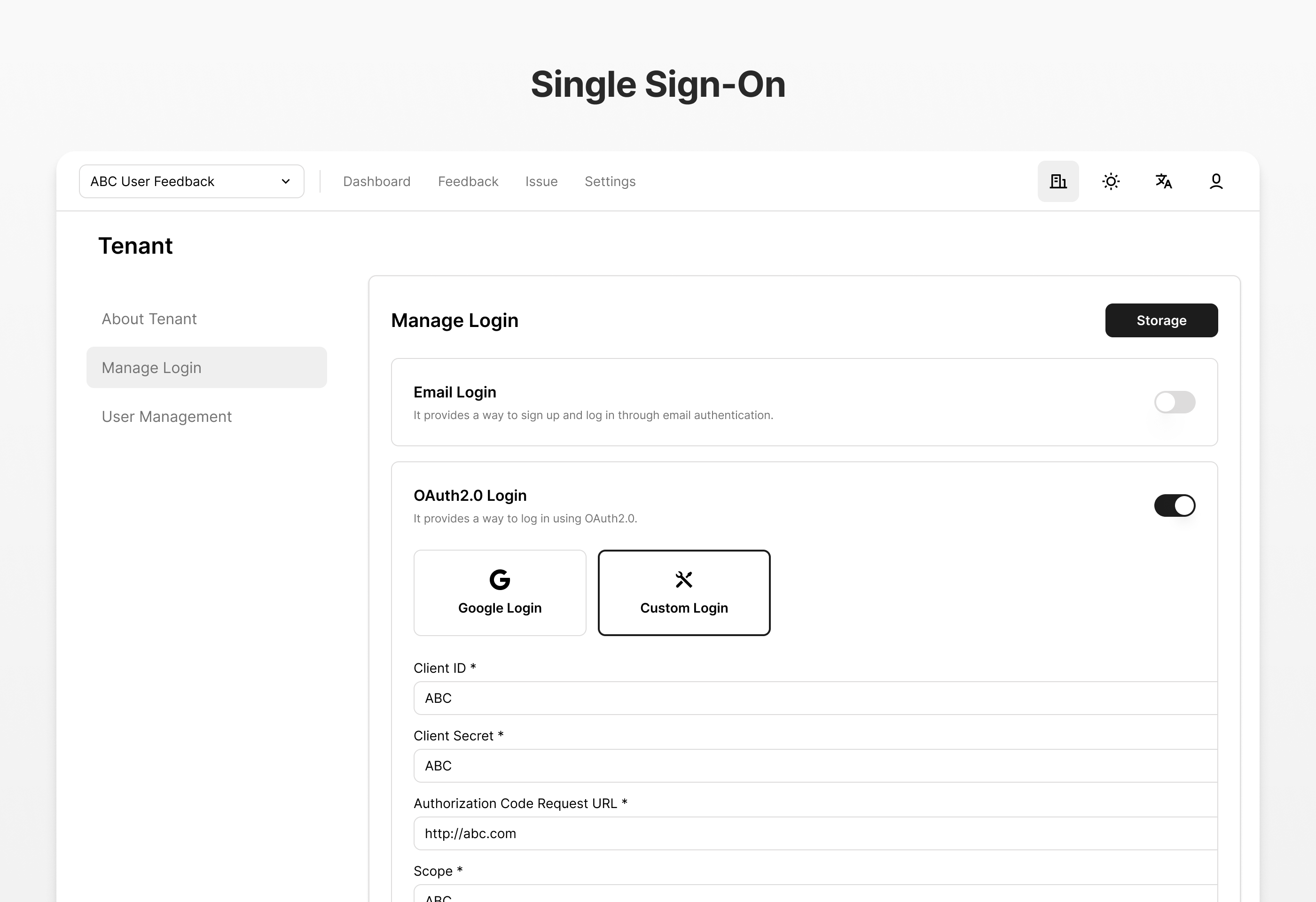
Single Sign-On simplifies authentication processes in enterprise environments and enhances security.
Key Features
- OAuth Support: Authentication support through various OAuth providers
- Enterprise ID Integration: Seamless integration with existing enterprise ID systems
- Centralized User Management: Manage user access through a single authentication system
- Enhanced Security: Apply multi-factor authentication and enterprise security policies
- Simplified Login Experience: No need for users to create additional accounts
Supported SSO Providers
- Custom (Standard OAuth 2.0 and OpenID Connect providers)
How to Use
- Configure SSO provider in admin settings
- Set authentication parameters and redirect URLs
- Configure user attribute mapping
- Enable and test SSO login
Role-Based Access Control (RBAC)
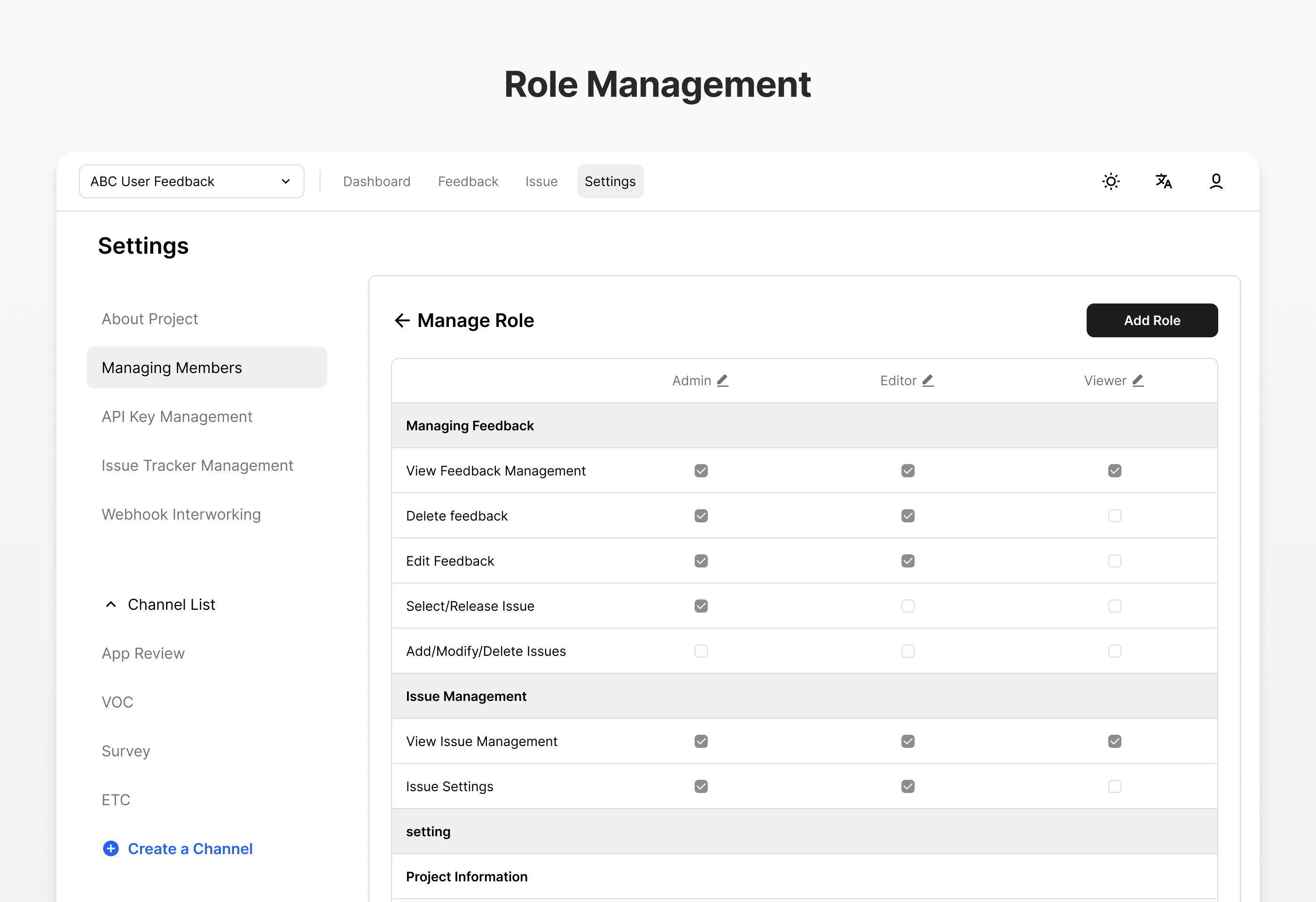
Role-Based Access Control is a feature for effectively managing user permissions and maintaining system security.
Key Features
- Predefined Roles: Provides basic roles such as Administrator, Analyst, Viewer
- Custom Role Creation: Create customized roles and permissions tailored to organizational structure
- Granular Permission Control: Set access permissions by function and data
- Role Assignment Management: Assign and change roles per user
- Permission Inheritance: Support hierarchical permission structures
How to Use
- Access role management menu in admin panel
- Create new roles or modify existing roles as needed
- Assign appropriate roles to users
- Regularly review permissions and access scope by role
Dashboard
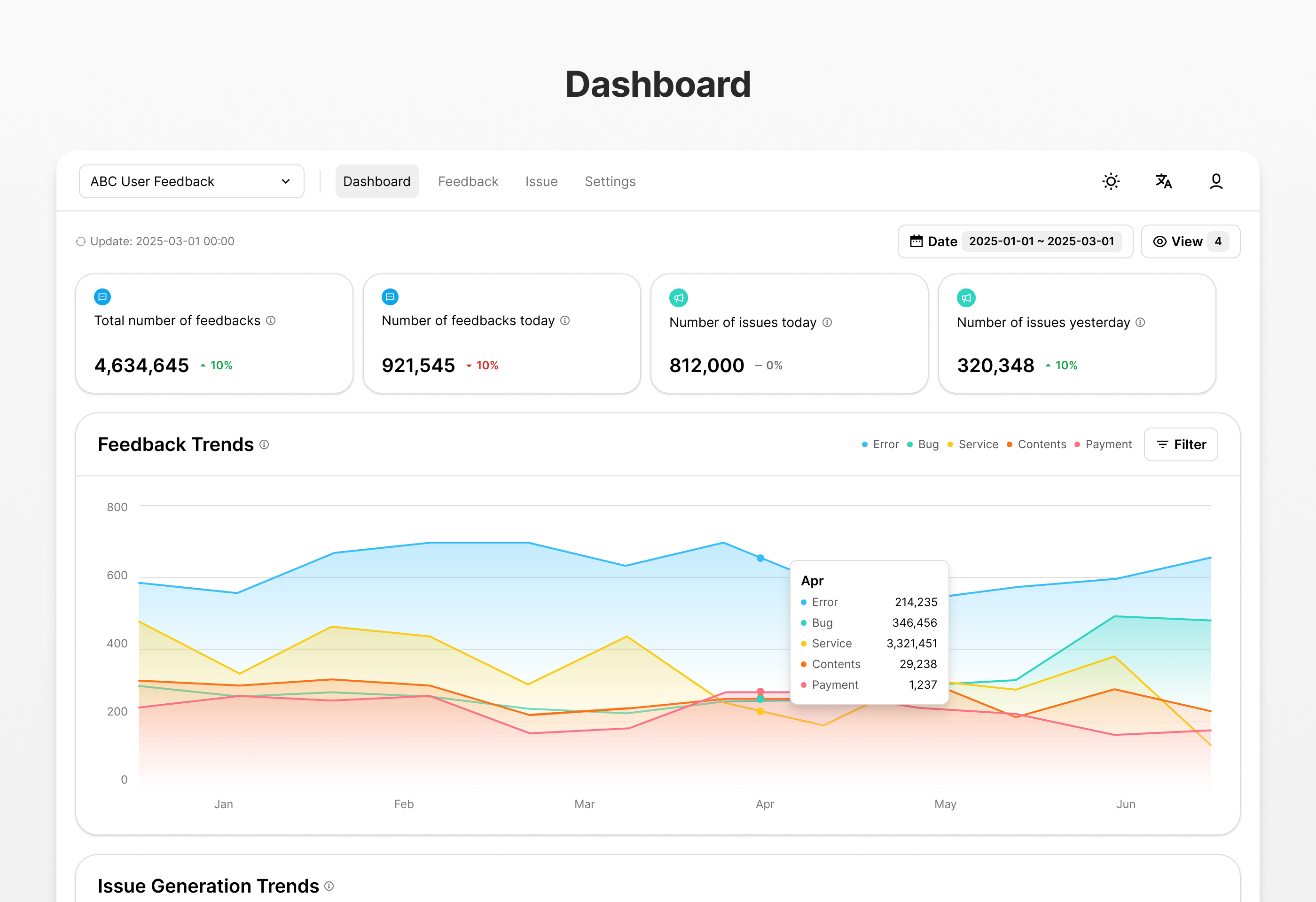
The dashboard is a feature that visualizes feedback data to understand important insights at a glance.
Key Features
- Real-time Statistics: Real-time display of key metrics such as feedback count, issue count, resolution rate
- Trend Analysis: Graphs showing feedback and issue trends over time
- Issue Distribution: Visualization of feedback distribution by issue
Provided Charts and Widgets
- Feedback Summary Cards: Key metrics such as total feedback count, new feedback, processed feedback
- Time Series Graphs: Daily/weekly/monthly feedback trends
- Issue Status Donut Chart: Distribution by issue status
How to Use
- Access the dashboard page
- Adjust data range through period and filter settings
- Analyze key metrics and trends
- Derive insights-based decisions and action items
Additional Features
In addition to the key features described above, ABC User Feedback provides the following additional features:
API Integration
- Integration with external systems through RESTful API
- Programmatic feedback collection and management
Webhooks
- Notify external systems when major events occur
- Support building automated workflows
Image Storage Integration
- Manage user-submitted images through S3-compatible storage
- Attach screenshots and images to feedback
Data Export
- Export feedback data in CSV, Excel formats
Multi-Language Support
- Provide interfaces in various languages
- Multi-language feedback management for international teams
This document provides an overview of ABC User Feedback's key features. For more detailed usage of each feature, refer to the User Guide section.